
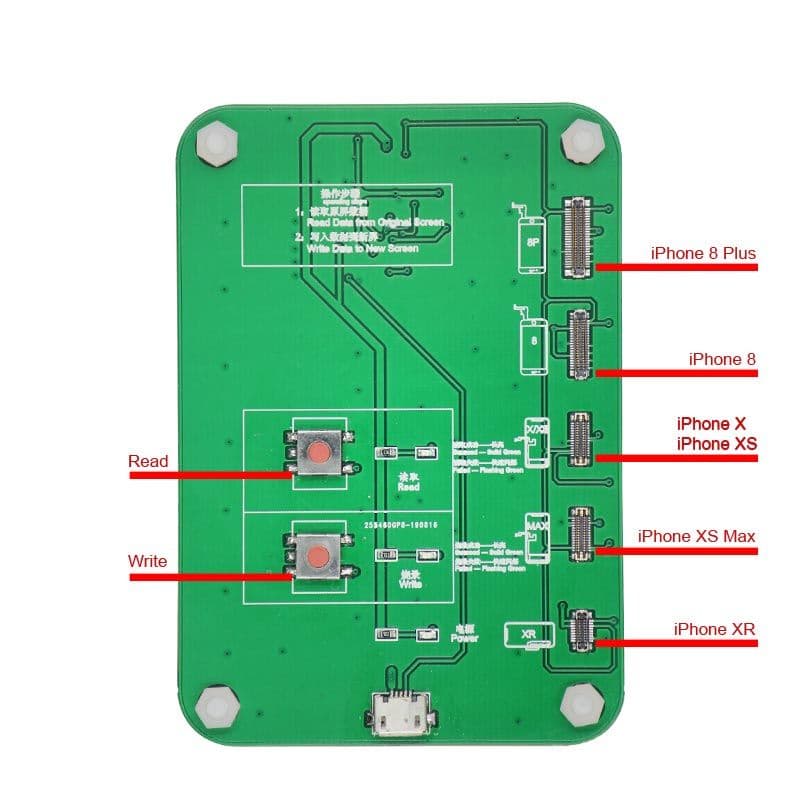
The Ambient Light Sensor (HO3 EEPROM Programmer)(ALS) of iPhone 8 up to iPhone X stops working after screen replacement. To solve this issue here is the ALS calibration machine for Incell LCD Screens.
How to calibrate ambient light sensor (ALS) for iPhone 8 up to iPhone X for Incell LCD screen.
1. Connect the Incell ALS calibrator to power source using USB cable.
2. Plug the green board into the box insert the green circuit board fully in the data intel on the ALS calibrator.
3. To transfer the data from OEM screen to incell LCD screen, connect the OEM screen left side of the circuit where it is printed "ORG" .
4. Connect new Incell LCD screen to the other side of circuit.
5. After connecting both OEM and new Incell screen to the circuit board. Press Blue button, When the status light turns blue the data transfer is complete .
Now the new screen is fixed for ambient light sensor
Note: It only reads from Original to Incell LCD Screen. It can not read or write to aftermarket scren.